
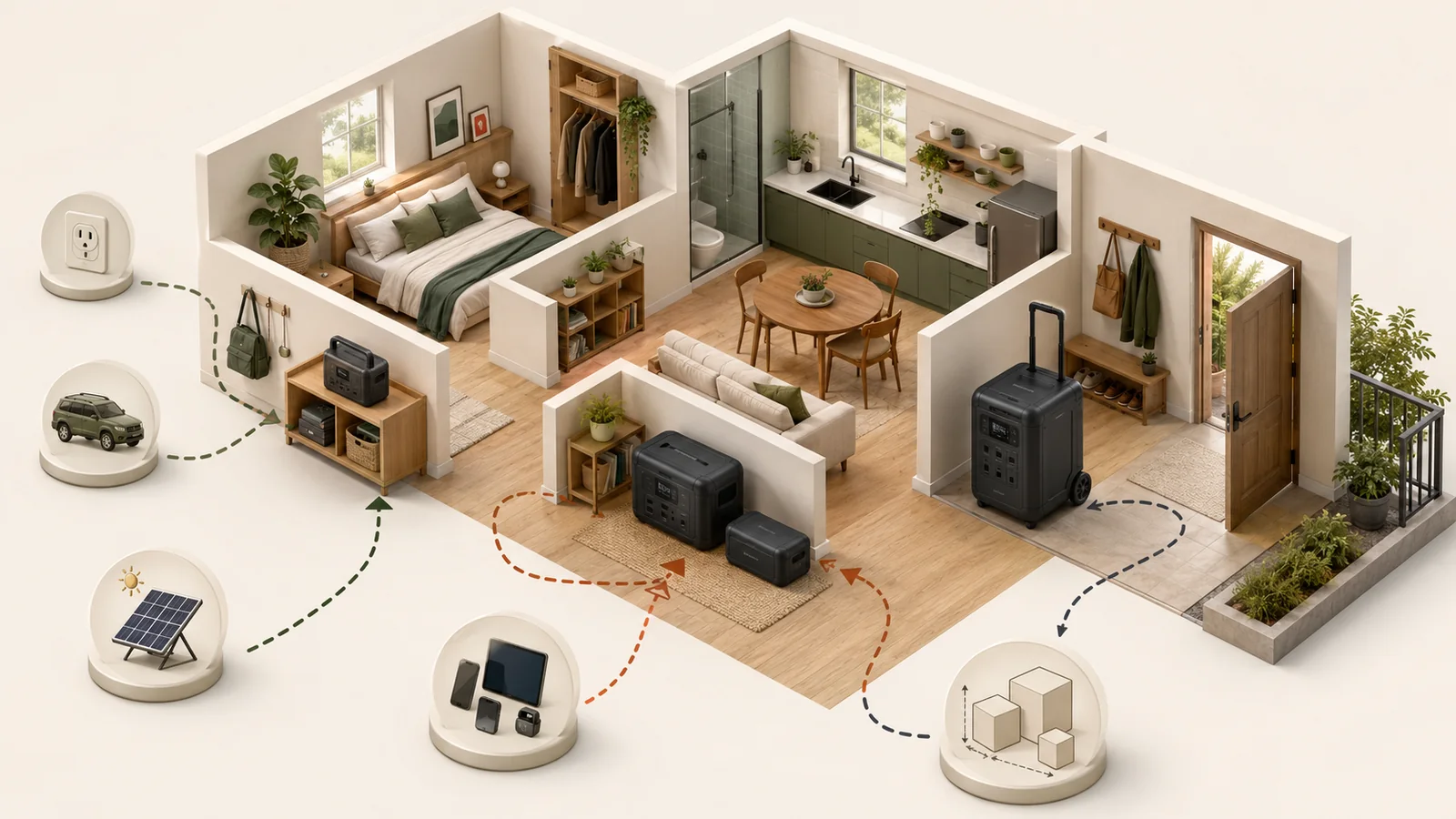
Evidence summary: This research-based buyer guide uses current public U.S. regulator, standards-owner, and manufacturer sources checked through July 21, 2026. No portable power station was purchased, supplied, tested, measured, ranked, or priced. Named products are exact examples of feature formats and physical trade-offs, not recommendations or independent performance proof.
Evidence checked: July 21, 2026
Product-feature examples checked: July 21, 2026
Prices and affiliate programs: Not applicable
Hands-on testing, sizing, or runtime modeling: Not performed
Quick answer
Choose a portable power station by deciding what kind of temporary, plug-in power system fits your home and workflow—not by starting with the largest watt-hour number or the longest port list.
For a renter or small-home household, the first product-class questions are:
- Can one person move and store it safely where it must be used?
- Does it have the exact AC, USB-C, USB-A, or 12-volt outputs your devices require?
- Can it recharge from the sources you can actually use—wall outlet, vehicle, or a separately verified solar setup?
- Do you need ordinary manual backup, pass-through power, or an exact UPS/EPS function?
- Is expansion worth the added batteries, cables, floor space, weight, and compatibility limits?
- Does the proposed use remain temporary and plug-in, or is it drifting into 120/240-volt or premises-wiring work that belongs to a different, professionally reviewed system?
Before using this guide, complete the renter backup-power readiness check. Apply the portable power station safety guide to the exact unit, and use the battery-capacity and runtime claims guide when reading W, Wh, surge, cycle-life, efficiency, or runtime claims.
This page does not choose a brand, calculate capacity, promise runtime, or decide whether an appliance will start.
What counts as this product category
UL describes the UL 2743 portable-power-pack scope as devices with one or more batteries in an enclosure, intended to serve as a portable power source when normal grid power is unavailable. UL distinguishes those devices from small phone-charging power banks.
That boundary is more useful than a marketing label. The category generally combines a rechargeable battery, power electronics, controls, and one or more outputs in a movable enclosure. But “portable” does not tell you how easily the unit can be carried, whether it can support a particular load, or whether it remains a temporary plug-in product.
EPA says battery- or solar-powered stations can be a practical way to power small appliances, lights, and fans during an outage and do not create fuel-combustion fumes. That fact does not replace the exact safety, recall, charger, placement, output, and building checks for the exact unit.
Choose a decision family before comparing specifications
The following are editorial decision families, not formal industry classes.
| Decision family | Usually fits | Main trade-off to verify |
|---|---|---|
| Carryable all-in-one station | Temporary plug-in loads, communications, laptops, lighting, or a small declared set of essentials | Lower weight and simpler storage may mean fewer outlets, less expansion, or less output |
| Expandable carryable system | A household that wants a movable base unit now and may add exact compatible batteries later | Extra batteries add cost, cables, floor space, weight, storage, and model-lock-in |
| Wheeled or high-output system | A large temporary system that can remain on one floor or move by wheels | “Portable” may mean more than 100 lb, and 120/240-volt or home-panel features may cross into professional installation and permission |
| UPS/EPS-oriented station | A declared computer, network, or other load that needs short transfer behavior | Transfer time, pass-through limits, waveform, supported loads, app/firmware mode, and device tolerance are model-specific |
| Solar-ready station or bundle | A household with an approved place and a compatible panel plan | The “solar generator” label does not establish panel voltage, current, connector, placement, permission, or recharge time |
A household may fit more than one family. The purpose is to identify the decisive trade-off before shopping, not to force every product into one fixed tier.
Start with movement and storage, not capacity
For renters, portability is a physical workflow.
Record:
- every stair, doorway, threshold, hallway, and elevator between storage and use;
- whether one person must lift the unit;
- the maximum footprint and height available in storage;
- whether the handle or wheels remain usable in that route;
- whether cables and extra batteries need separate storage;
- whether the unit can stay dry, visible, ventilated, and away from exits and combustibles;
- whether the proposed charging location complies with the exact manual and building rules.
Current official product pages show why the word “portable” is not enough:
- Jackery lists the Explorer 1000 v2 at about 23.8 lb.
- EcoFlow lists the DELTA 3 Plus at about 27.6 lb.
- BLUETTI lists the AC180 at about 35.3 lb.
- EcoFlow lists the DELTA Pro 3 at about 113.5 lb, with wheels and an ergonomic handle.
These figures are manufacturer specifications for exact products. They do not establish durability, ease of carrying, or which weight is right for you. They show that a product marketed as portable can range from a one-person carry to a wheeled appliance that may be unrealistic for stairs or tight storage.
Fit rule: If the actual movement and storage route is not workable, stop. A larger energy number does not fix a product that cannot be moved, stored, inspected, or charged safely.
Match the output interfaces to the devices
Do not shop by total port count alone. Write down the physical interfaces you need:
- standard 120-volt AC receptacles;
- USB-C power delivery, including the wattage required by each laptop or device;
- USB-A;
- regulated 12-volt vehicle-style output;
- another documented DC connector;
- wireless charging, if it solves a real need;
- the number and shape of plugs that must fit at the same time.
Then verify for the exact model:
- per-port limits;
- combined limits across a group of ports;
- total AC output;
- total AC/DC/USB output when used simultaneously;
- whether one output disables or reduces another;
- whether pass-through or backup mode changes a limit;
- whether the device needs a pure-sine-wave AC output or another documented characteristic.
Current product pages illustrate the variation. Jackery lists three AC outlets, two USB-C outputs, one USB-A output, and one 12-volt car port for the Explorer 1000 v2. EcoFlow lists 13 total outputs for the DELTA 3 Plus, including six AC outlets, USB-C, USB-A, a car output, and DC5521 outputs. BLUETTI lists AC, USB-C, USB-A, 12-volt, and wireless charging outputs on the AC180.
These examples are not a ranking. They show why “more ports” is incomplete unless the port type, layout, individual limit, and combined behavior fit your devices.
Keep capacity and output claims in their own lane
This guide focuses on product category and feature fit. It does not calculate battery size or runtime.
When comparing specifications:
- use W for power-rate and output-limit questions;
- use Wh for declared energy;
- do not treat rated Wh as guaranteed AC energy;
- keep continuous output separate from surge, peak, or proprietary high-load modes;
- do not assume a surge number proves a motor or compressor will start;
- do not convert a cycle-life claim into calendar life without its endpoint and conditions;
- do not apply one model’s efficiency or self-consumption assumption to another model.
The claims guide owns those definitions. A later sizing workflow must use declared loads and a separate evidence-bounded method.
Choose charging routes you can actually use
A charging method is useful only when the location, electrical source, connector, input window, and time available are compatible with the exact model.
Wall charging
Check:
- the AC input rating;
- whether a separate adapter or direct cable is used;
- circuit and shared-load constraints;
- normal, quiet, or fast-charge modes;
- whether fast charging changes fan noise or input demand;
- whether charging can be limited in the app or on the unit;
- whether the manufacturer requires a particular cable.
Do not infer that the fastest advertised charge mode is appropriate for every outlet, building, or operating condition.
Vehicle charging
Check:
- whether the product uses a standard 12-volt vehicle outlet, a higher-power alternator accessory, or another input;
- the required cable and fuse protection;
- whether the vehicle may be stationary or must be running;
- whether the charging method is allowed and practical for your vehicle.
A vehicle-charging option is not a substitute for a building-compatible charging plan.
Solar charging
Check:
- the station’s allowed photovoltaic voltage range;
- maximum current and input power;
- connector and polarity;
- panel series/parallel limits;
- whether adapters are approved;
- the panel’s open-circuit voltage under expected temperature conditions;
- where the panel can be placed legally and safely;
- whether the panel, cable, and station can be moved and stored;
- whether shading and weather make the plan realistic.
EcoFlow markets a DELTA 3 Plus plus portable panel bundle as a “solar generator.” That exact bundle label does not establish that any panel works with any station. The underlying input window, connector, current, power, placement, and permission still control.
Portable-solar compatibility is a separate decision involving the exact panel, voltage, current, connector, placement, and permission. Do not solve it by matching brand names or connector appearance alone.
Decide whether expansion is a benefit or a burden
Expansion can postpone a larger initial purchase, but it creates a system rather than a single box.
Verify:
- the exact compatible extra-battery models;
- the maximum number of batteries;
- the required expansion cable or adapter;
- whether output power changes or only stored energy changes;
- floor space and ventilation around every module;
- combined weight and how each module will be moved;
- whether the system can be separated for storage;
- whether firmware, app, or state-of-charge behavior changes;
- warranty and service treatment for each component.
EcoFlow currently lists specific extra-battery models for the DELTA 3 Plus rather than claiming universal compatibility. Its DELTA Pro 3 page also describes much larger expansion and home-integration configurations. Those exact examples support a simple rule: expandable does not mean universally interchangeable or physically simple.
Choose expansion only when the future module, cable, placement, and maintenance plan are credible. Otherwise, a simpler fixed-capacity station or no purchase may be the better fit.
Treat UPS, EPS, bypass, and pass-through as exact modes
The words UPS, EPS, bypass, and pass-through are not interchangeable guarantees.
Current manufacturer pages illustrate model-specific differences:
- EcoFlow states a less-than-10-millisecond UPS claim for the DELTA 3 Plus.
- BLUETTI states a 20-millisecond UPS transfer claim for the AC180.
- Jackery lists a 1,500 W bypass-mode input/output limit for the Explorer 1000 v2.
Those values are manufacturer claims for exact models. They do not establish that:
- every portable power station has an automatic transfer function;
- every connected device will tolerate the transfer;
- the mode supports every outlet or output;
- the battery remains active in every pass-through condition;
- the feature is equivalent to a purpose-built UPS;
- the mode is suitable for medical equipment;
- firmware, app settings, or operating conditions cannot change behavior.
For a computer, network device, aquarium, refrigerator, or other sensitive load, check the exact manual and the load manufacturer’s requirements. A transfer-time number alone is not a compatibility verdict.
Check app, network, and offline behavior
App control may be useful for:
- setting charging limits;
- selecting quiet or fast charging;
- viewing input and output;
- enabling backup or energy-management modes;
- installing firmware updates;
- receiving alerts.
Before relying on an app feature, verify:
- whether the unit has physical controls for the same essential function;
- whether Bluetooth, Wi-Fi, an account, or internet access is required;
- what works when the network or cloud service is unavailable;
- whether firmware is required for a safety remedy or feature;
- what data the app collects and how long the product remains supported.
EcoFlow and BLUETTI both advertise app-connected controls on current models. That establishes only that those exact products have an app layer. It does not prove the app is necessary, private, durable, or suitable for your offline plan.
Know when “portable” becomes a different system
A large wheeled product can still be marketed as a portable power station while offering 120/240-volt outputs, large expansion systems, or connection to a smart home panel.
EcoFlow lists the DELTA Pro 3 at about 113.5 lb, with 120/240-volt output and optional Smart Home Panel configurations. Its own page includes installation conditions for home-circuit integration.
That is a different decision from plugging ordinary appliances directly into a carryable station. For a renter or small-home household:
- do not treat a 120/240-volt receptacle as permission to energize home wiring;
- do not use a male-to-male cord or improvised backfeed;
- do not design transfer equipment, grounding, neutral, panel, or permanent wiring from this guide;
- obtain property, building, local-authority, and qualified-professional review for any proposed premises connection.
The safety guide owns that stop line.
Do not let these signals choose the product for you
“Solar generator”
Treat it as a bundle or marketing label until you verify the exact station, panel, input window, connector, placement, and expected charging conditions.
“Runs 99% of appliances”
Treat a percentage-of-appliances claim as manufacturer marketing. Your decision depends on exact loads, starting behavior, output mode, and conditions.
The largest Wh number
More declared energy may mean more weight, floor space, charging demand, and cost. It does not establish delivered energy or fit.
The largest surge number
Surge is not continuous output and does not prove compatibility.
LFP or a battery-management system
Those are design attributes, not proof of zero risk, zero degradation, or universal indoor suitability.
More outlets
Count the ports you can physically and electrically use at the same time.
Expansion “up to” a large number
Verify the exact modules, cables, installation boundary, floor space, and whether the expanded system remains appropriate for a renter.
Reviews, stars, or “best” labels
They do not replace the approved scenario, current sources, exact manual, recall check, and evidence boundary.
Scenario-to-feature worksheet
| Your approved scenario | Prioritize | Do not infer |
|---|---|---|
| Carrying between a closet and one room, including stairs | Actual weight, dimensions, handle, one-person lift, cable storage | “Portable” means easy for you to move |
| Phones, tablets, laptops, router, and lighting | Correct USB-C/USB-A/DC interfaces, per-port limits, outlet layout | Port count establishes runtime |
| A refrigerator, pump, motor, or compressor | Exact continuous/surge behavior and later load/sizing analysis | A surge number guarantees starting |
| Desktop or network ride-through | Exact UPS/EPS/pass-through mode, transfer time, supported load, offline behavior | A transfer-time claim guarantees compatibility |
| Future solar charging | PV voltage/current/power window, connector, panel plan, placement permission | “Solar generator” means universal panel compatibility |
| Future extra battery | Exact compatible module, cable, footprint, combined weight, service plan | Expansion batteries are cross-compatible |
| 120/240-volt or home-circuit use | Stop and route to property/building/local and qualified-professional review | A portable label makes premises wiring plug-and-play |
| No safe storage, charging, movement, or permission route | No purchase or a smaller continuity plan | A larger unit solves readiness constraints |
Before-shortlisting checklist
Proceed to a model shortlist only when all applicable statements are true:
- Home and outage-readiness checks pass for the actual home and outage plan.
- The exact storage, charging, and movement route is workable.
- Exact-unit safety, recall, condition, charger, placement, and building checks can be completed.
- Required AC, USB-C, USB-A, 12-volt, or other outputs are identified.
- Per-port, group, and total-output behavior can be verified.
- The product class is carryable, expandable, wheeled, or UPS-oriented for a stated reason.
- AC, vehicle, and solar charging routes are separated and verified.
- Any solar plan has an exact input/connector/placement path.
- Any expansion plan names exact compatible modules and storage space.
- Any UPS/EPS/pass-through need names the exact load and device requirements.
- App/account/network dependence is acceptable.
- No premises-wiring, backfeeding, transfer-equipment, or medical-compatibility assumption is being made.
- Capacity and runtime will be handled by the later sizing/method workflow rather than a marketing estimate.
- No-purchase and materially different alternatives remain available.
What remains unknown
This guide does not establish:
- which current model is best;
- the correct Wh capacity for a household;
- runtime for any appliance;
- whether a motor, compressor, refrigerator, pump, heater, or medical device will operate;
- actual delivered energy or conversion efficiency;
- real transfer behavior with a particular load;
- fan noise in a particular room;
- app privacy, support life, or offline behavior for an unreviewed model;
- current price, availability, warranty remedy, or affiliate eligibility;
- recall status of a unit not exactly identified;
- solar-panel compatibility;
- legal or building permission;
- suitability of a 120/240-volt or home-integration system.
These are deliberate handoffs, not gaps to fill with assumptions.
Related decision handoffs
- Renter readiness: whether to enter the product category at all.
- Specification claims: how to interpret W, Wh, output, surge, cycle, efficiency, and runtime wording.
- Safety and indoor use: recalls, condition, certification, charger, placement, backfeeding, and stop conditions.
- Sizing: a later workflow will translate declared loads and desired duration into a defensible requirement.
- Runtime: a validated runtime estimate requires a separate method; this guide does not provide one.
- Alternatives: a later comparison will use a common scenario for battery stations, fuel generators, and other routes.
- Portable solar: a later compatibility guide will own panel, voltage, current, connector, placement, and permission checks.
- Product lines and prices: later pages require separate demand, commercial-access, source-freshness, and maintenance approval.
Method and sources
This page was built as a decision framework, not a product ranking. Research separated:
- category scope;
- renter movement and storage;
- output interfaces;
- charging routes;
- expansion;
- UPS/EPS/pass-through behavior;
- apps and offline dependence;
- the boundary between a temporary plug-in station and home integration.
The release uses public sources only. Manufacturer pages support exact model examples and are explicitly attributed. They are not independent proof of performance, safety, compatibility, or superiority.
Key sources checked July 21, 2026:
- UL Solutions: Portable Power Pack Testing
- U.S. EPA: Power Outages and Indoor Air Quality
- U.S. CPSC: High-Energy-Density Battery Standards
- EcoFlow: DELTA 3 Plus Portable Power Station
- Jackery: Explorer 1000 v2 Portable Power Station
- BLUETTI: AC180 Portable Power Station
- EcoFlow: DELTA Pro 3 Portable Power Station
- EcoFlow: DELTA 3 Plus Solar Generator bundle
Recheck every exact model page and material source immediately before WordPress publication.
Next sizing step: calculate continuous watts, startup events, and energy for the selected scenario.
Related reading: Portable Power Station vs Gas Generator for Home Backup
Next solar decision: Portable Solar Panel Buying Guide for Power-Station Charging.