
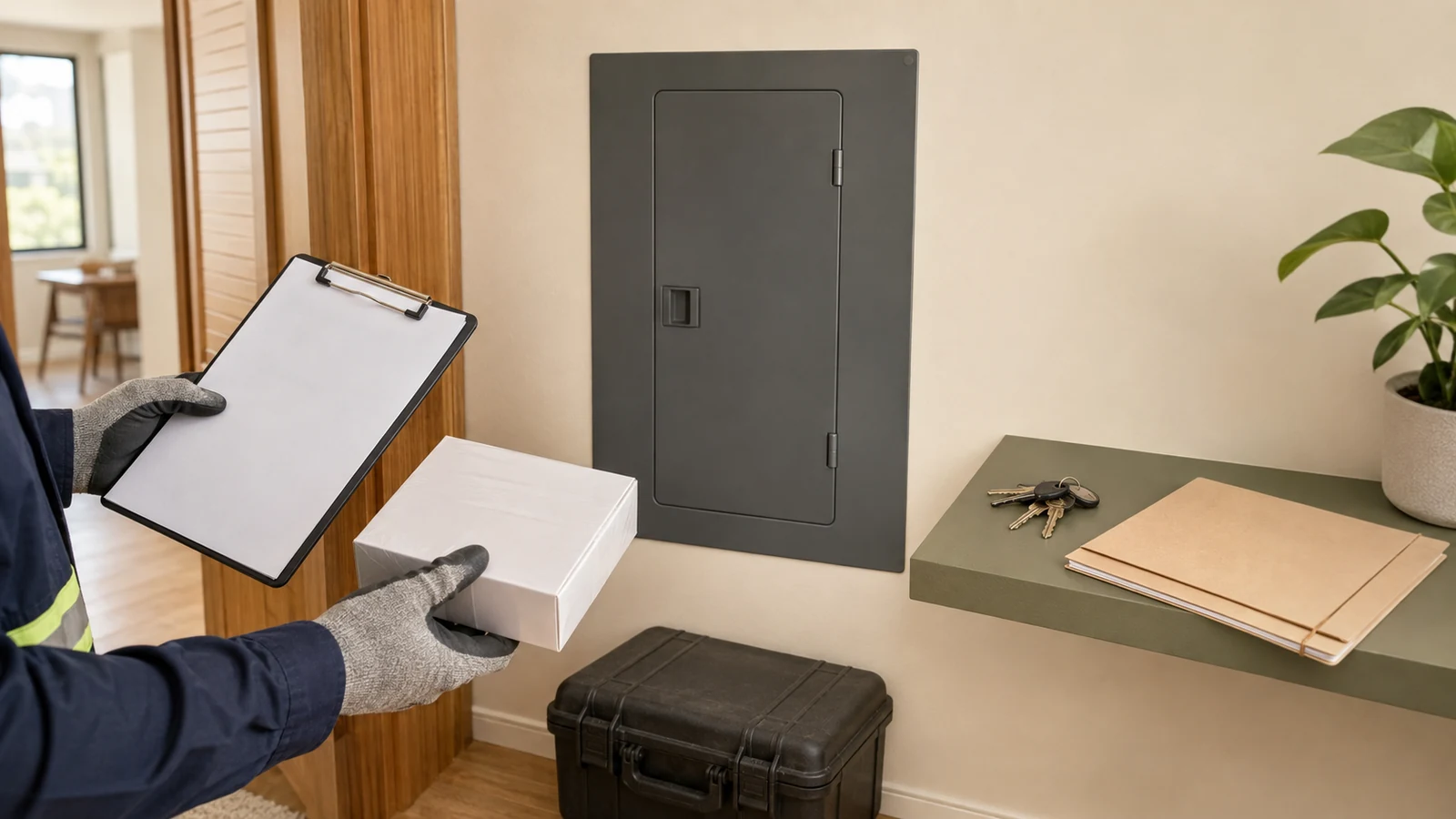
Evidence summary
This guide uses public-source desk research and deterministic rule validation for United States renters, apartments, condos and small homes. No electrical panel was opened, no monitor was installed, no customer account was accessed, and no electrical measurement or hands-on product test was performed.
Manufacturer certification statements are attributed to their publishers. No exact listing, installation, local permission, permit or household safety result is independently verified. No commercial relationship is declared and there are no affiliate links.
Quick answer
Start with the least invasive route that can answer the household decision. Utility portal or Green Button data can sometimes answer whole-home trend questions without any consumer-installed hardware. A utility-authorized meter bridge can add near-real-time whole-home data without opening the service panel, but it still depends on an eligible utility, meter, account, registration process, outlet, Wi-Fi connection, app and support path. A local plug-in monitor can answer a bounded question about one ordinary compatible cord-and-plug load. Panel-level and selected-circuit monitors are different: they involve service equipment, exact panel fit, property permission, current recalls, product listing and a qualified electrical professional.
For this renter, apartment, condo and small-home guide, any work that opens a service panel, connects a breaker or harness, or places current sensors around service conductors is a qualified-professional route. That is an editorial safety boundary, not a claim that one licensing rule applies everywhere. The guide does not interpret leases, codes, permits, utility contracts, insurance policies or HOA rules, and it provides no wiring or panel-opening instructions.
Who this checklist is for
This checklist is for a household deciding whether it needs utility data, a plug-in meter, a utility-meter bridge, a panel monitor, selected-circuit monitoring, or no new hardware. It is especially relevant when the person making the decision does not own the electrical service equipment, lives in a multifamily building, cannot identify the exact panel, or is comparing a low-intervention route with a panel project.
It is not an installation manual. It does not reproduce panel-opening, conductor-identification, breaker-connection, sensor-placement, harness-connection, voltage-testing, utility-meter-alteration, or hidden-code-inspection procedures. Those tasks remain with the exact manufacturer documentation, the property/building decision owner, the utility and a qualified electrical professional.
How the decision rules work
The guide uses a deterministic, non-scoring router with 30 retained fixtures, 12 invalid-input checks and 800 randomized property checks. It preserves unknowns, applies safety and recall precedence, and separates utility, plug-in and panel routes. It does not choose a product or grant installation authority.
Scroll horizontally to see all columns.
| Method rule | Behavior |
|---|---|
| Hazard or affected recall | Stop first |
| Unknown hazard, recall or identity | Hold |
| Billing dispute | Utility bill or approved-meter route |
| Utility portal/bridge | No-panel route with exact account/authorization checks |
| Plug-in meter | Only an exact ordinary compatible load within rating/environment |
| Panel monitor | Permission, compatibility, listing and qualified professional required |
| Shared/building panel | Building coordination and qualified route |
| Any method result | No score, winner, recommendation or installation authority |
Synthetic fixtures prove only that the software enforces the declared rules. They are not evidence that a real panel is compatible or that an installation was safe.
Choose the monitoring boundary before the hardware
The same phrase—“home energy monitor”—can describe fundamentally different interventions. A utility file and a panel-mounted monitor are not two versions of the same installation. They differ in physical access, electrical risk, permission, data resolution, account dependencies and who controls the equipment.
Scroll horizontally to see all columns.
| Monitoring route | Panel or fixed-wiring work? | Permission/authorization gate | Evidence-safe use | Primary limit |
|---|---|---|---|---|
| Utility portal or Green Button | No consumer panel work | Utility account access and available data | Whole-home trend or interval review | Resolution varies; no guaranteed circuit detail |
| Utility-authorized meter bridge | No panel work in the documented plug-in architecture | Supported utility, smart meter, account and registration | Whole-home meter stream without consumer CT installation | Utility/meter eligibility, outlet, Wi-Fi, account and placement |
| Local plug-in monitor | No fixed wiring | Compatible outlet and ordinary cord-and-plug load | One bounded load | Rating, outlet condition, environment and load class |
| Connected monitoring plug | No fixed wiring | Compatible outlet/load plus app, account and network acceptance | One bounded monitored or controlled load | Recall, remote-control and support dependencies |
| Panel mains monitor | Yes | Property/building permission plus qualified professional | Whole-home aggregate panel measurement | Service conductors, panel fit, listing, installation and network |
| Selected-circuit monitor | Yes | Property/building permission plus qualified professional | Selected branch circuits | Uninstrumented/shared circuits and panel constraints |
| Integrated panel or service equipment | Major electrical project | Owner, building, utility, authority and qualified project route | Broader service-equipment project | Outside consumer-installation scope |
| Keep existing or no purchase | No | None beyond existing account access | When the current information is sufficient | Less granularity may remain |
A buyer who needs only a monthly or interval trend may gain nothing from opening a panel. The Department of Energy’s Green Button overview explains that utility data can be available at 15-minute, hourly, daily or monthly intervals depending on the utility. That variability is a limitation, but it also creates a no-hardware starting point. If available utility data answers the question, keep-existing or no purchase is a complete outcome.
Stop before shopping when the electrical condition is uncertain
Installation planning begins with condition and recall status, not features. The U.S. Fire Administration warns against damaged cords, overloaded outlets and other household electrical hazards. This guide extends the same fail-closed principle to monitoring projects: visible heat, arcing, smoke, burning odor, corrosion, water exposure or damaged electrical equipment stops the project.
After flooding or water exposure, a dry-looking exterior does not prove that the equipment is safe internally. The Consumer Product Safety Commission’s 2026 storm guidance directs households to qualified professional or utility inspection before reusing electrical equipment that was under water.
Scroll horizontally to see all columns.
| Condition | Immediate disposition | Why |
|---|---|---|
| Heat, smoke, arcing, burning odor or visible damage | Stop; do not continue the monitoring project | Feature comparison cannot cure an electrical hazard |
| Wet, flooded or water-exposed panel/equipment | Do not energize or reuse until professional or utility inspection | Internal damage can remain after surfaces appear dry |
| Applicable product or panel recall | Follow the exact recall remedy | A recall overrides convenience and sunk cost |
| Unknown exact model/date code/lot | Hold | Recall and compatibility matching need exact identity |
| Hidden panel label or date code | Use a qualified electrician | The guide does not ask a reader to open an enclosure to inspect a label |
| Medical, life-support or emergency load | Outside scope | The consumer-monitor method has no specialist or medical authority |
Recall checks are exact-identity checks. The CPSC recall for certain Square D QO Plug-on-Neutral load centers explains that some interior date codes are not visible to the homeowner; a qualified electrician may need to locate them. The Siemens SolarReady meter-combo recall likewise uses exact catalog and date information and provides a licensed-contractor remedy. These notices do not mean every panel from either brand is recalled. They show why a reader should not open a panel merely to chase a hidden identifier.
Permission is an independent gate
Product compatibility is not property permission. A monitor can be technically compatible yet remain unavailable because the panel is building-owned, locked, shared, located in a service room, controlled by the utility, or subject to a property process. This guide does not infer permission from access, from a manufacturer’s “DIY” description, or from the fact that another resident completed a similar project.
Scroll horizontally to see all columns.
| Question | Confirmed answer needed | Hold or alternative when unresolved |
|---|---|---|
| Who owns and controls the panel? | Private owner-controlled panel or documented building process | Do not assume a renter or condo occupant may access shared equipment |
| Does the property/building permit the work? | Written approval for the exact fixed-wiring/panel scope | Use utility data, plug-in measurement or no purchase |
| Is the panel in a shared room, locked area or building service space? | Building coordination and qualified access | Resident does not enter or open it |
| Does the utility control the meter integration? | Exact meter/account registration and utility authorization | Use available portal data or another route |
| Is a permit, inspection or licensed trade required? | Qualified professional determines the applicable route | This guide does not interpret code or law |
| Is the installer willing to follow the exact current manual? | Exact model, current manual and defined scope | Do not substitute a generic online sequence |
Emporia’s current installation support page explicitly says that local requirements, a landlord, HOA or insurer can change whether professional installation is required or appropriate. That is useful evidence that permission and installation responsibility are variable. It is not a source for interpreting any individual lease or policy. Obtain the exact written decision from the responsible party.
Official manufacturer guidance conflicts—keep the conflict visible
Current official documentation does not speak with one voice about consumer installation. Sense states that only a licensed electrician should install its panel monitor and emphasizes that service mains remain live even with the main breaker switched off. Emporia’s April 2026 guidance says many users install Vue themselves, while also naming local requirements, rental/HOA/insurance rules, user comfort and unusual panels as reasons for professional installation.
Scroll horizontally to see all columns.
| Official source | Current statement | Guide treatment |
|---|---|---|
| Sense installation support | The panel monitor should only be installed by a licensed electrician; service mains remain live even with the main breaker off | Use as a direct safety boundary for Sense and as evidence of service-panel hazard |
| Emporia April 2026 support | Some experienced users may install Vue themselves; the page also lists local, rental, HOA, insurance, comfort and unusual-panel reasons for professional work | Retain the conflict; do not generalize DIY permission |
| Measured Habitat bounded scope | Audience includes renters, apartments, condos and small homes | Route all panel opening, breaker/harness and service-conductor CT work to a qualified professional |
This guide does not resolve that difference by choosing the easier path. The project audience includes renters, apartment and condo households, and people with limited control over service equipment. Therefore all service-panel opening, breaker or harness connection, and current-sensor work around service conductors is routed to a qualified electrical professional.
“Main breaker off” is not a consumer-safe access test
Sense’s installation guidance states that the service mains are live even when the main breaker is off. That detail matters beyond one brand because it defeats a common shortcut: breaker position is not evidence that every accessible part inside service equipment is de-energized. This guide therefore contains no consumer procedure for opening or working inside a panel.
The older CPSC home-wiring guidance makes the same boundary at a higher level: finding a possible problem is different from repairing electrical defects, which belongs to qualified electrical professionals. A reader can document visible exterior facts—panel location, whether access is shared, exact labels visible without opening, and the decision they want the data to support. They should not create new exposure merely to complete a shopping checklist.
Use no-panel routes when they answer the question
No-panel does not mean no dependencies, but it can remove the service-equipment hazard and much of the permission burden. Utility data and utility-authorized meter bridges are particularly relevant for renters or full panels.
Scroll horizontally to see all columns.
| Utility-data route | Physical intervention | Authorization/data question | Fallback |
|---|---|---|---|
| Utility portal | None beyond account access | What interval and history are actually available? | Download bills or interval files; no hardware if sufficient |
| Green Button Download My Data | No panel work | Does the utility offer a usable file and interval? | Use available billing/portal data |
| Green Button Connect My Data | No panel work | Which third party is authorized and for how long? | Do not authorize transfer if unnecessary |
| Utility-authorized HAN/meter bridge | Standard outlet in the documented architecture | Is the exact utility, meter and account eligible and registered? | Use portal data or another monitor architecture |
Emporia documents its Utility Connect as a standard-outlet device that communicates with a supported utility smart meter and requires utility registration, 2.4 GHz Wi-Fi and the Emporia app. The same manufacturer distinguishes it from a Vue with CT sensors in the panel. The evidence-safe conclusion is narrow: the bridge avoids panel work in that documented architecture. It does not prove that every utility, smart meter, address or account is eligible, and it does not authorize touching or altering utility equipment.
Utility data can also be sufficient without a third-party device. Green Button Download My Data and Connect My Data are distinct. The latter involves affirmative customer authorization for transfer to a third party. Do not authorize an ongoing data connection merely because a device supports it; decide whether the additional service is needed and review the data/account terms separately.
Plug-in monitoring is bounded to the exact load and outlet
A local plug-in monitor is often the lowest-intervention way to measure one ordinary cord-and-plug device. P3 documents the Kill A Watt EZ P4460 for 115 VAC operation, with a 125 VAC, 15 A and 1875 VA maximum. Those are manufacturer specifications for one exact product. They are not a blanket approval for every load that happens to have a plug.
Scroll horizontally to see all columns.
| Plug-in check | Pass condition | Stop or hold condition |
|---|---|---|
| Load type | Ordinary compatible cord-and-plug load within the exact manual | Major appliance, heater, medical/safety-critical or hardwired load |
| Electrical rating | Voltage, current and VA/W stay inside the exact product limits | Unknown or exceeded rating |
| Outlet and cord condition | Dry, intact, snug outlet and undamaged cords | Loose, damaged, hot, wet or improvised connection |
| Environment | Exact indoor/dry or other published rating matches the location | Damp, wet or unknown environment |
| Recall | Exact model/lot is clear under current recall check | Affected or unknown identity |
| Connected functions | Account, network, update and remote-control behavior are accepted | Unknown support, unsafe remote control or rejected cloud dependency |
The USFA electrical-safety page says major appliances should be plugged directly into a wall outlet and warns against overloaded power strips and damaged cords. This guide does not infer that a plug-through meter is acceptable for a refrigerator, heater, washer, dryer or another high-consequence load merely because the arithmetic appears below 15 A. Use the exact appliance manual, monitor manual and a more appropriate route when the load class is uncertain.
Connected monitoring plugs add another layer. The CPSC recall for certain 2022–2023 Emporia North America smart plugs involved inadequate grounding and an electric-shock hazard. The notice applies to the exact affected plug family, not to Vue panel monitors and not automatically to every current Emporia plug. The lesson is model-specific recall control, not brand-wide rejection.
Panel-monitor preflight belongs to the qualified route
A panel monitor can provide whole-home or selected-circuit detail that utility and plug-in routes cannot. That capability does not make panel access routine. Exact service configuration, panel construction, current-sensor clearance, cable reach, environmental limits, power connection, mounting, listing and installer scope all matter.
Scroll horizontally to see all columns.
| Preflight field | What must be known | What the field does not prove |
|---|---|---|
| Exact monitor/model/generation | Exact product identity and current manual | That the product is current, available or right for this household |
| Exact service and panel configuration | Service type, panel type, space and environmental conditions | That a remote support answer replaces on-site assessment |
| Sensor and mounting fit | Exact dimensions, cable reach, enclosure and environmental rating | That improvising placement is acceptable |
| Power connection | Exact manufacturer power method in the qualified installer scope | That a spare breaker or pigtail is allowed in this location |
| Listing identity | Exact model/system in a recognized directory | Permission, permit, compatibility or installer competence |
| Recall state | Product and panel identity against current CPSC records | Universal safety or absence of all hazards |
| Qualified professional route | Named provider and defined scope | Final approval before the on-site assessment |
| Rollback/repair path | What happens if the panel cannot accept the device | That the project should proceed despite a hard mismatch |
Sense’s compatibility documentation, for example, limits supported service configurations and identifies sensor dimensions, panel space, temperature and water-exposure conditions. These details are useful for a qualified preflight, but they are not a remote approval for an unfamiliar or shared panel. If the configuration is unusual, crowded, outdoors, recessed, split-service, combined with solar/generator equipment, or otherwise uncertain, the outcome is hold or professional review—not a workaround.
Emporia’s own current page acknowledges older panels, bus bars, split services and unusual arrangements as reasons to involve an electrician. This guide’s stricter boundary avoids asking the reader to decide whether their panel is “straightforward” from photographs or generic instructions.
Treat listing, compatibility and permission as separate facts
Sense and Schneider each publish certification claims for exact energy-monitor systems, including references to UL, CSA or Intertek/ETL standards. Those statements can support an exact product-record check. They do not prove that the device fits a particular panel, that the installation is permitted, that the site’s service configuration is supported, or that the person doing the work is qualified.
Scroll horizontally to see all columns.
| Evidence item | What it can establish | What remains separate |
|---|---|---|
| Exact UL Product iQ or Intertek directory match | The listed identity and applicable certification record | Site permission, panel fit, installation method and current recall |
| Manufacturer statement about UL/ETL standards | The manufacturer is making an exact certification claim | Independent field verification and current directory identity |
| Logo or badge on a sales page | A discovery clue | Exact model/file number and conditions of acceptability |
| Code or standard reference in a manufacturer FAQ | The manufacturer describes a compliance basis | Local interpretation, permit, inspection and installation approval |
UL Product iQ and the Intertek Inspector Information Center provide routes to exact certification information. Use the model, file number and system identity where available. If only a logo or retailer badge can be found, keep listing status unresolved.
Shared panels and multifamily service equipment need building coordination
In apartments and condos, a panel may serve one unit, multiple units, common loads, a meter bank or building systems. The resident may not know who owns the enclosure or who may open it. This guide does not use physical proximity as evidence of authority. A panel in a hallway, utility room, garage, basement or locked cabinet is a building-coordination question before it is a product question.
When the panel is shared or building-owned, the valid route is the property/building decision owner plus a qualified electrical professional. If that route is unavailable, use utility data, a utility-authorized bridge, a bounded plug-in meter, or no purchase. Do not create a hidden “temporary” installation in shared equipment.
Bring the right questions to the right decision owner
Scroll horizontally to see all columns.
| Ask this party | Evidence-safe question | Do not ask this article to decide |
|---|---|---|
| Property owner or manager | May this exact panel/fixed-wiring project occur, and who may perform it? | What the lease legally means |
| Qualified electrician | Is this exact product compatible with the panel/service, and what scope is appropriate? | A remote universal compatibility answer |
| Utility | Is this account/meter eligible for portal, Green Button or HAN access? | Whether a consumer may alter utility equipment |
| Manufacturer support | What current manual, listing identity, environmental limits and compatibility fields apply? | Local code, permission or permit interpretation |
| Insurer/HOA/building authority when applicable | What documented process or contractor requirement applies? | A generalized nationwide rule |
| Household decision owner | What decision will the data change, and is existing information already enough? | A reason to buy hardware for its own sake |
These questions gather decisions; they are not instructions. A qualified electrician may conclude that the monitor is incompatible, that panel modifications would be required, that a different architecture is safer, or that the project should not proceed. That negative result is a successful safety outcome.
A fail-closed installation-safety workflow
Scroll horizontally to see all columns.
| Step | Decision | Outcome |
|---|---|---|
| 1 | Define the question and minimum resolution | Choose utility, plug, panel or no-purchase path |
| 2 | Check visible condition and exact recall identity | Stop, hold or continue |
| 3 | Choose the least invasive architecture that can answer the question | Avoid unnecessary panel work |
| 4 | For utility routes, confirm interval, meter, account and authorization | Utility candidate or hold |
| 5 | For plug-in routes, confirm load, rating, outlet, environment and recall | Plug-in candidate, hold or incompatible |
| 6 | For panel routes, confirm owner/building permission | Continue, hold or no-panel alternative |
| 7 | Confirm exact product, panel/service compatibility and listing identity | Continue, hold or incompatible |
| 8 | Confirm a qualified professional and exact manufacturer instructions | Qualified installation route or professional review |
| 9 | Keep data/privacy/integration questions separate | Route to the appropriate data/integration review |
Do not collapse these checks into a single “compatible” badge. A route can be technically compatible but not permitted, listed but recalled, no-panel but utility-ineligible, plug-in but wrong for the load, or professionally installable but unnecessary for the decision.
What remains unknown or outside this guide
Scroll horizontally to see all columns.
| Unknown | Why it matters | Treatment |
|---|---|---|
| Exact local licensing/permit requirement | Varies by jurisdiction and project | Qualified professional/applicable authority; no legal interpretation |
| Lease, HOA, insurer or building rule | Can control access and who may work | Obtain the exact written decision |
| Panel interior identity hidden behind cover | Unsafe for consumer inspection | Qualified electrician identifies it |
| Exact product listing/file number | Mark alone is insufficient | Verify in the appropriate directory |
| Utility/meter/HAN eligibility | Changes by utility, address and meter | Confirm through utility registration |
| Real support/update horizon | Mechanism does not equal duration | Keep unknown unless officially published |
| Installed cost or panel modifications | Depends on on-site conditions | No price estimate in this guide |
The guide intentionally does not estimate installed cost, permit fees, panel modifications, service upgrades, electrician labor, insurance consequences or lifecycle cost. It also does not compare data quality, privacy, app integrations or product accuracy beyond the installation boundary. Those questions require separate evidence and should not be used to weaken a safety hold.
Recheck triggers
Recheck the evidence when making a decision or after a material change to CPSC recalls, panel or monitor identity, manufacturer installation guidance, listing records, service/panel compatibility, utility-meter eligibility, app/account/update requirements, property-permission treatment or electrical-safety guidance. Critical safety, water-damage, recall and factual corrections override the calendar interval.
Bottom line
Choose the least invasive architecture that can answer the decision. Utility data and meter bridges can avoid panel work; plug-in monitors can answer a narrow ordinary-load question; panel monitors and selected-circuit systems require a separate permission, compatibility, listing and qualified-professional route. Unknowns remain holds. Damage, water exposure and applicable recalls are stops. A manufacturer’s easier installation path does not override the property, utility or safety boundary, and this guide never substitutes for exact instructions or qualified on-site judgment.
Related reading
For the broader architecture decision, use the Home Energy Monitor Buying Guide. It compares utility, meter-linked, panel, selected-circuit and plug-level routes without choosing a brand or approving installation.
For a separate heating-control project, use the smart thermostat compatibility checklist. Its equipment and permission questions do not clear an energy-monitor installation.
For a separate vendor and data comparison after the architecture and safety boundaries, read Sense vs Emporia Home Energy Monitors. Its existing-owner and utility-meter routes do not clear property permission, equipment compatibility or installation responsibility.
For a separate data-access decision after the hardware and permission checks, use Home Energy Data, App, and Smart-Home Integrations Compared. Its export, account and integration checks do not authorize electrical work or clear an installation.
Method and sources
The decision rules and their software-validation limits are explained above. These official sources support the dated manufacturer statements and routing boundaries. Manufacturer statements are attributed evidence; a directory link is not a verified product match. Recheck the exact product and notice before acting.
- USFA appliance and electrical fire safety
- CPSC home-wiring hazards guide (May 22, 1991)
- CPSC recall search
- Square D QO load-center recall (June 16, 2022)
- Siemens SolarReady recall (August 22, 2024)
- Emporia smart-plug recall (September 7, 2023)
- CPSC storm and wet-equipment guidance (May 27, 2026)
- DOE Green Button
- NIST consumer IoT baseline (IR 8425)
- Sense installation guidance
- Sense panel-configuration guidance
- Sense legal, warning and specification statements
- Sense monitor support transition
- Emporia installation responsibility
- Emporia Utility Connect and CT-monitor comparison
- Emporia Utility Connect architecture
- Emporia utility and meter eligibility
- Emporia Vue 3 DIN-rail accessory guidance
- Schneider Wiser manufacturer certification statements
- P3 P4460 manufacturer specifications
- UL Product iQ directory route
- Intertek listed-product directory route